
Call Recording & Deletion Overview
As call recordings can be set in several places across Outbound, it can get confusing.
The rule of thumb is that recording rules set on higher levels usually overrule lower levels (Project > Campaign > Team/User), with a small exception on deletion days (detailed below).
The Call Recording Hierarchy
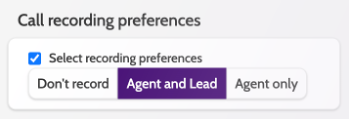
Project - Recording Preferences
→ Overrules Campaign & User/Team
↓
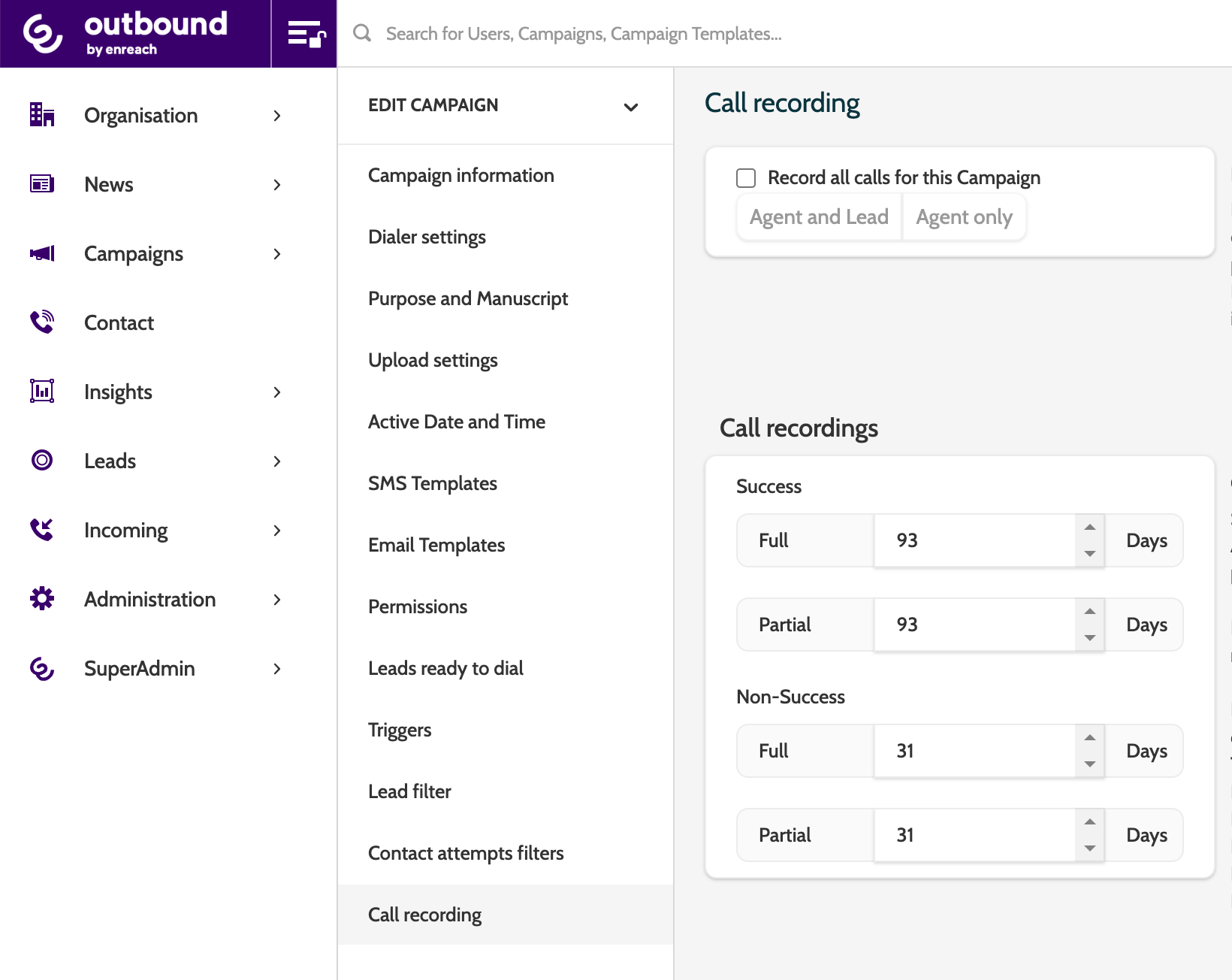
Campaign - Call Recording
→ Used only if Project settings aren't set

↓
User/Team - Recording toggles

↓
Per-Call - Partial, manual recording (requires the Contact - User-activated call recording feature permissions)

Who gets recorded?
Click to enlarge the images!
Project setting (if used) wins:
- Project = Don’t record → Nothing is recorded, anywhere.
- Project = Agent & Lead → Both recorded, even if Campaign/User say no.
- Project = Agent only → Only agent recorded, even if Campaign/User say more/less.
If Project is NOT set:
- Campaign = Record all calls, Agent & Lead
- Both recorded, even if user/team recording is OFF.
- Campaign = Record all calls, Agent only
- Only agent recorded, even if user/team recording is OFF.
- Campaign = Not set, User/Team = ON
- Both agent and lead are recorded.
- Campaign = Not set, User/Team = OFF
- No recording.
Special note – partial recordings
- Partial/manual recording always includes both agent and lead
- Still follows the same deletion rules as other recordings
- Partial recordings are only possible with the feature permission Contact - User-activated call recording.

How long are recordings kept?
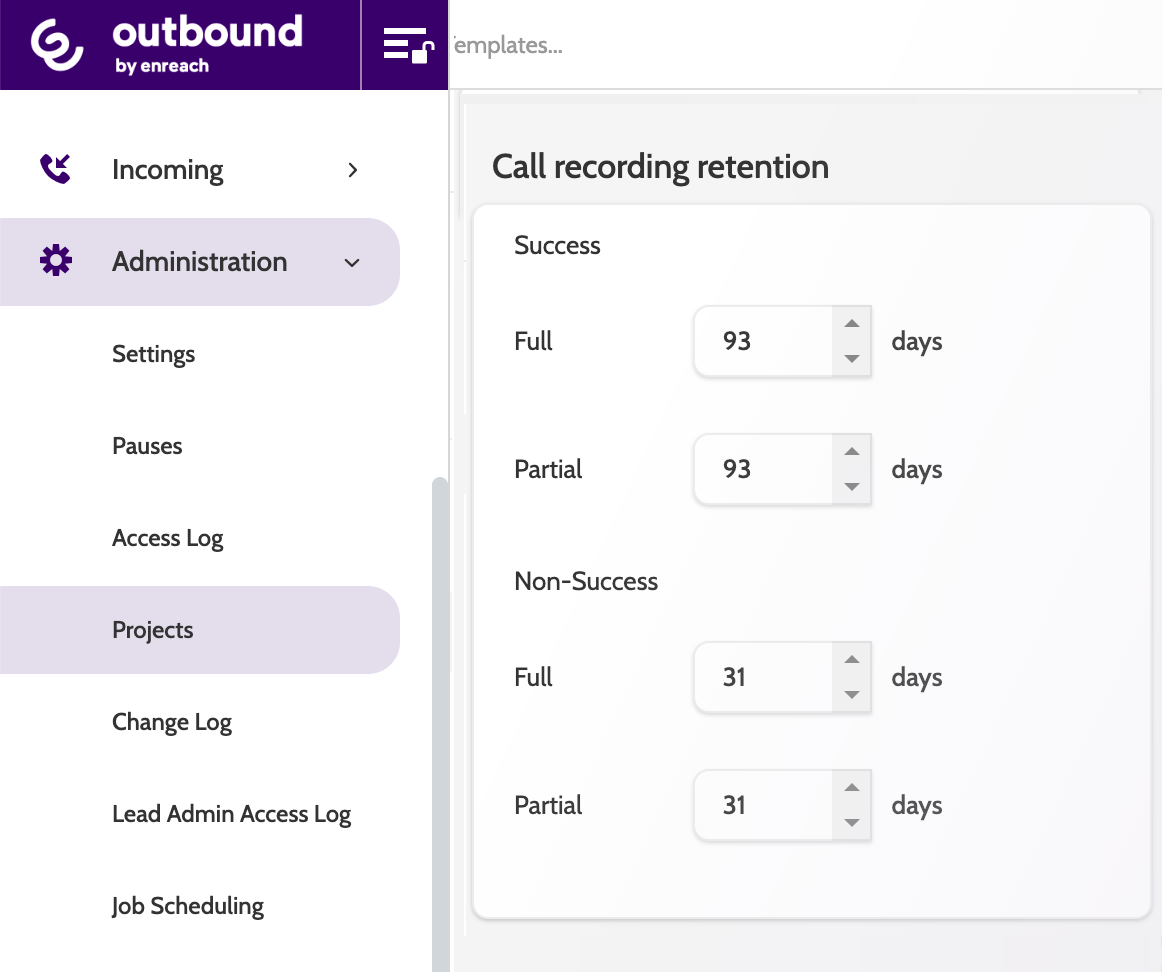
Recording deletion can be set in 3 places:
- Campaign settings – per campaign
- Project settings – for all campaigns in a project
- Corporate settings – global default (set by Enreach)
Which number of days is used?
- If Campaign AND Project both set days:
- Higher number of days wins
- If only Campaign set → use Campaign
- If only Project set → use Project
- If neither set → use Corporate default
Deletion rules are usually split like this:
- Success – Full
- Success – Partial
- Non‑success – Full
- Non‑success – Partial