Smart Talk Insights: Dashboards
Once your AI Agents are built, customise a dashboard to easily visualise and filter all the insights gathered across your organisation's conversations.
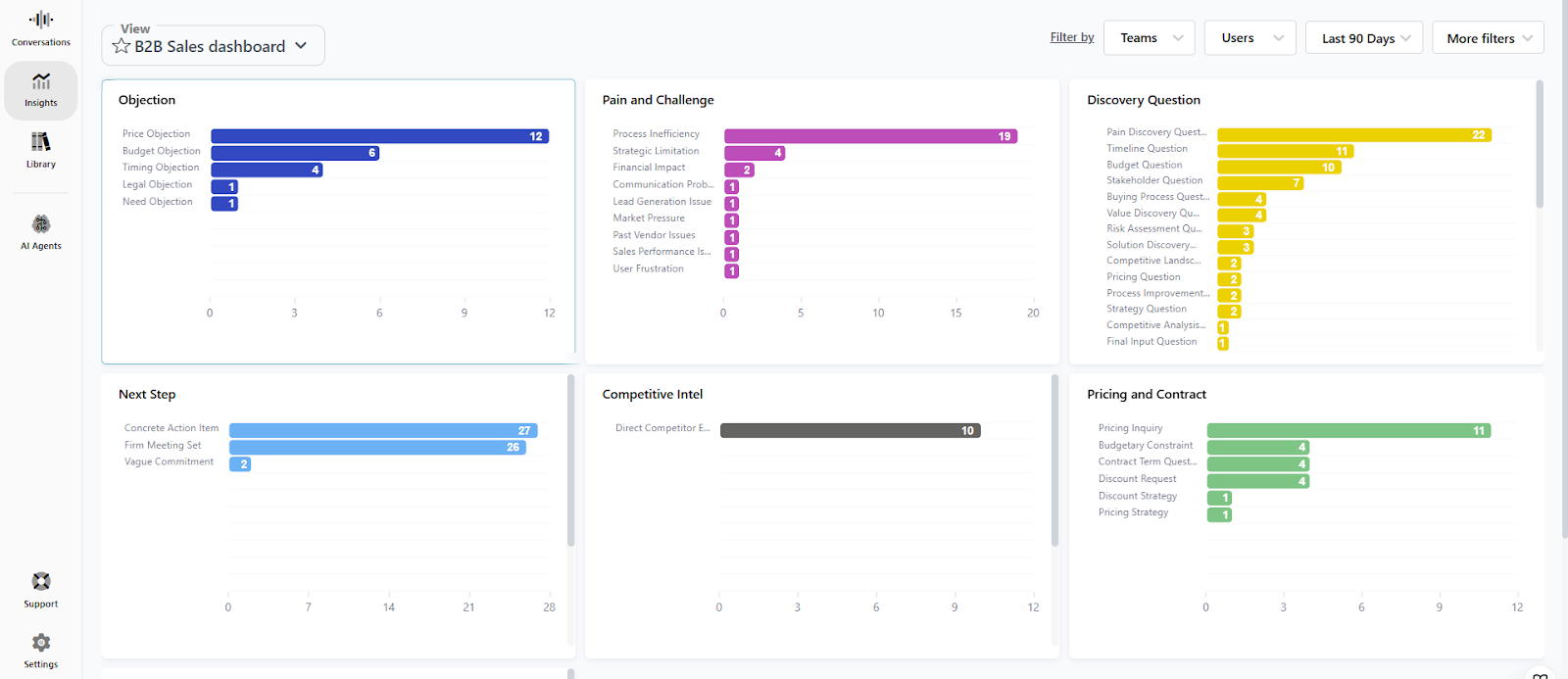
Smart Talk Insights Dashboards are designed to let you easily analyse your conversational data at scale, using these four building blocks:
- Widgets: more than 20 default widgets lets you deep dive into metrics such as call outcomes, average interruptions, sentiments, promises, and buyer positivity
- AI Agents: this is the place to see aggregated insights from your AI Agents
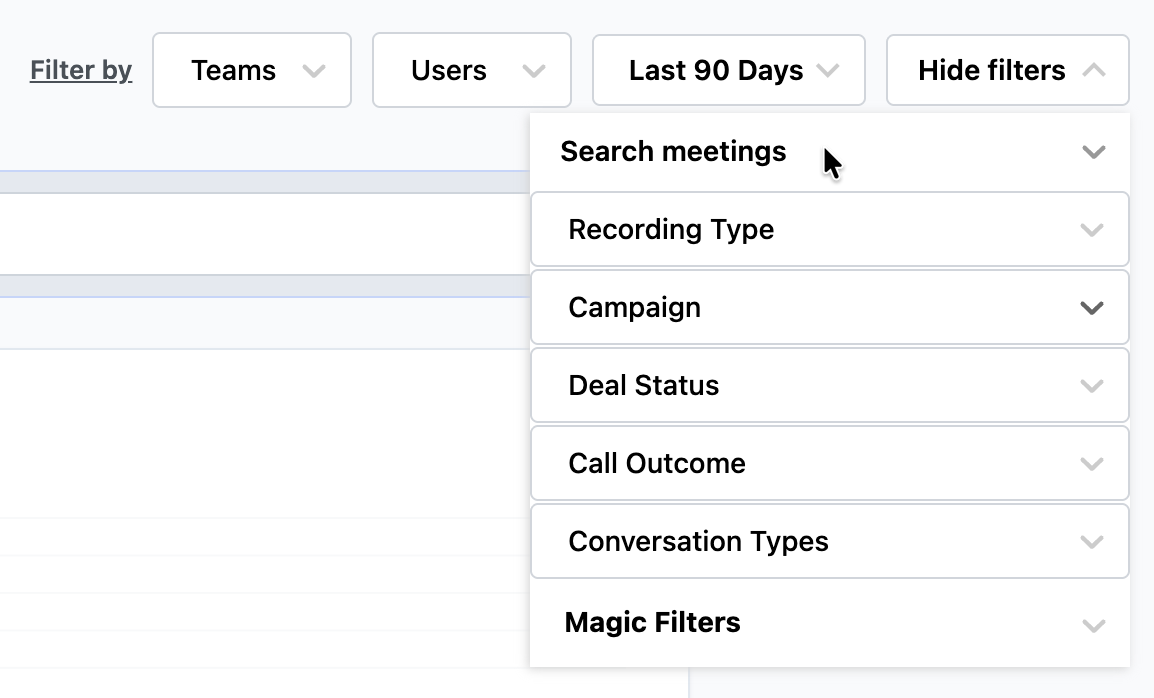
- Filter: create granular views with filters covering teams, users, time, campaigns, conversation type, and more
- Ask AI: query all your dashboard data in plain language for instant answers.
Create a dashboard
Step-by-step
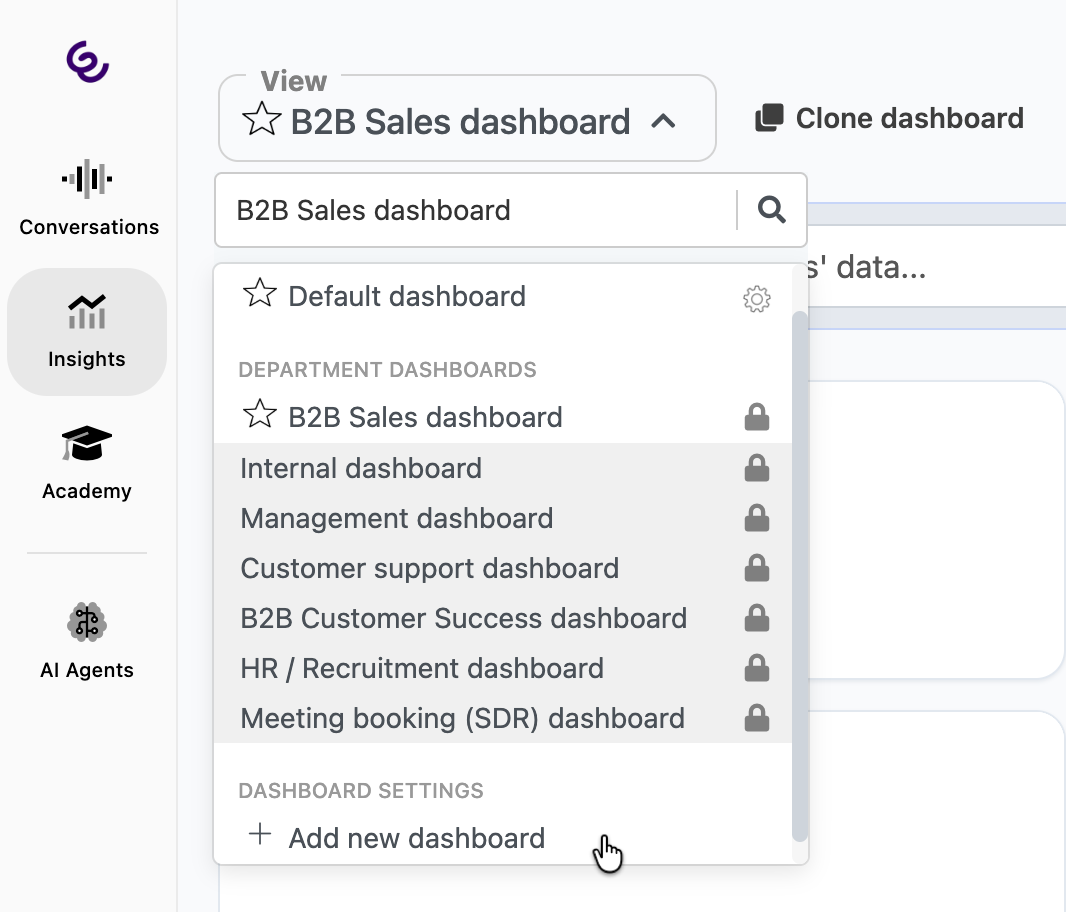
1 - Select a default dashboard from the View list to customise, or start from scratch and click Add new dashboard
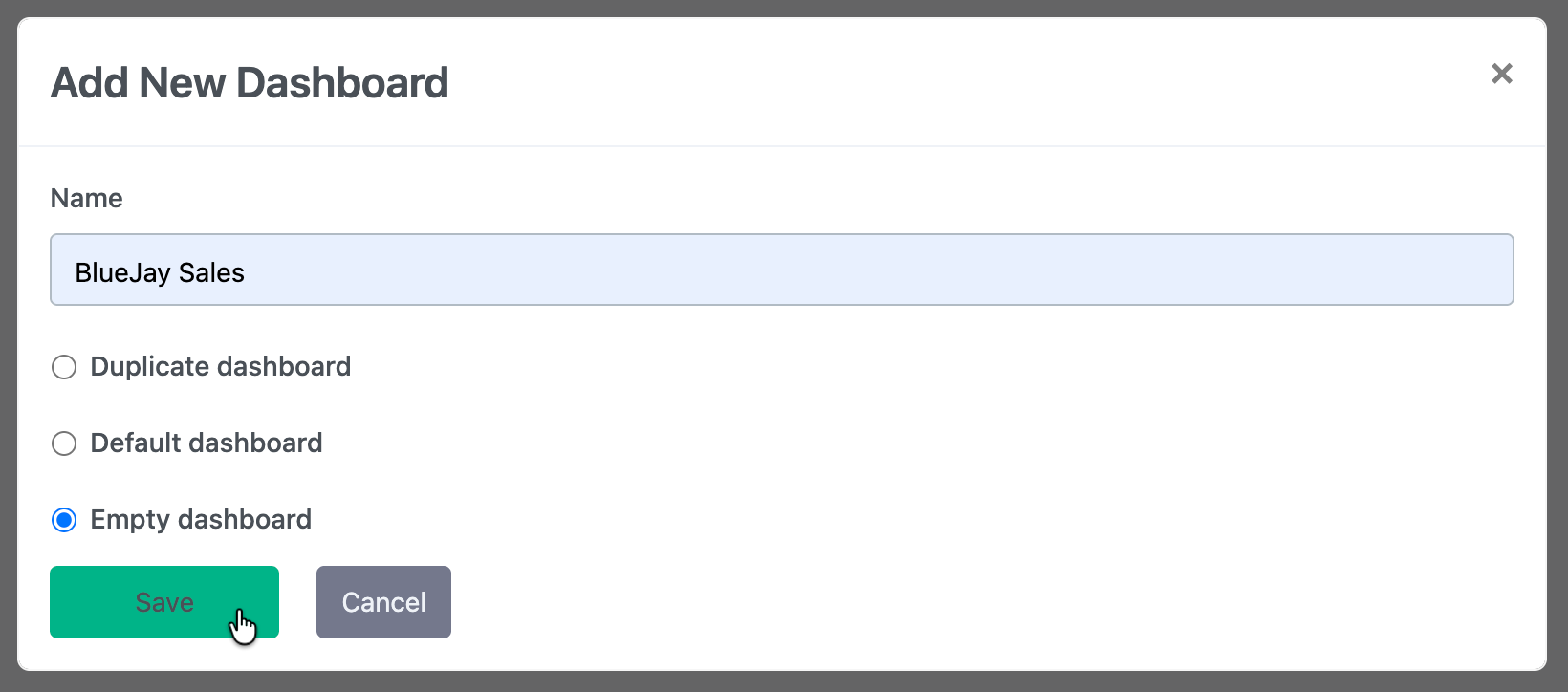
2 - If you are creating a new dashboard, add a name, select Empty dashboard, and click Save
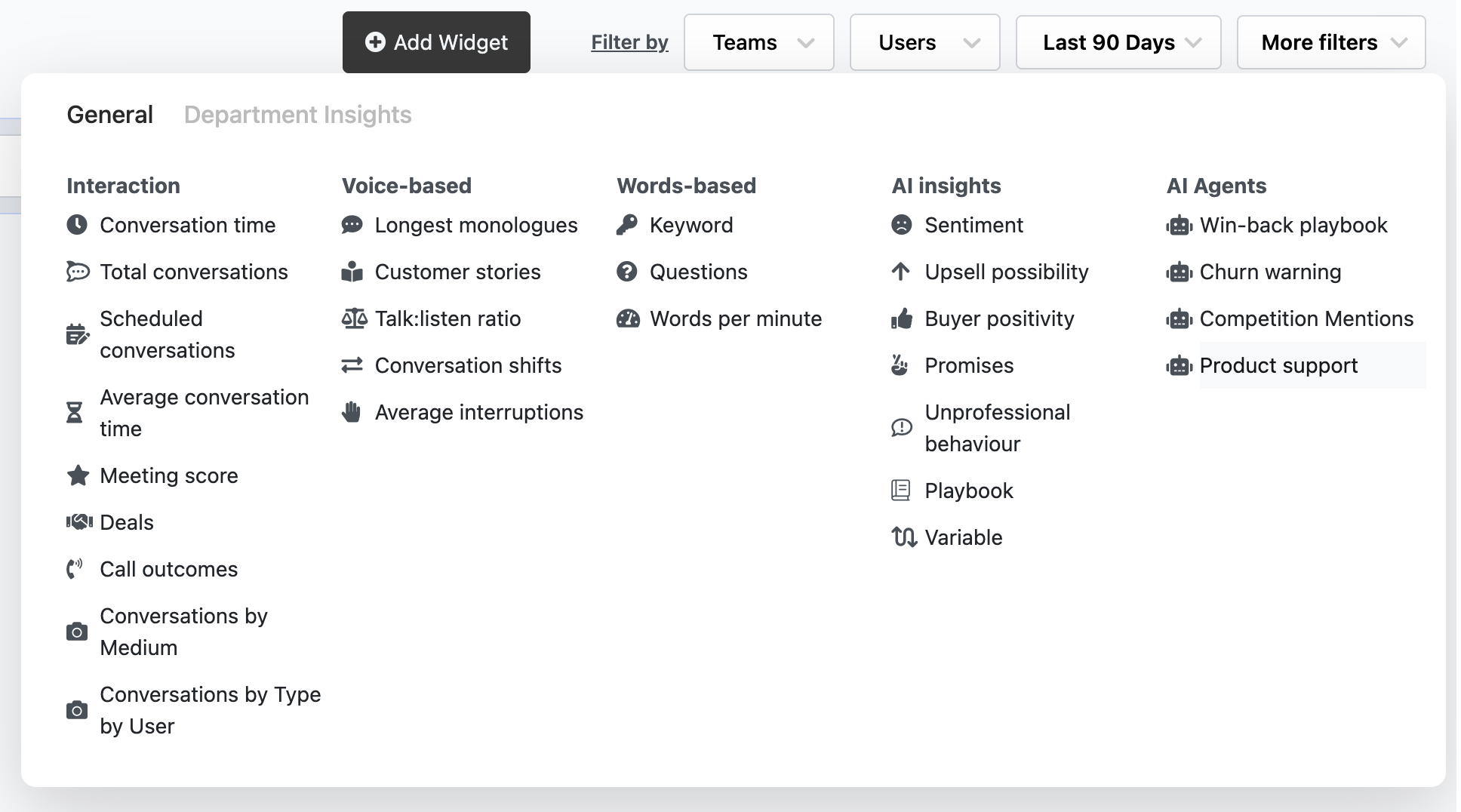
3 - Click Add Widget to select a pre-defined widget from the list, or add an AI Agent to the dashboard
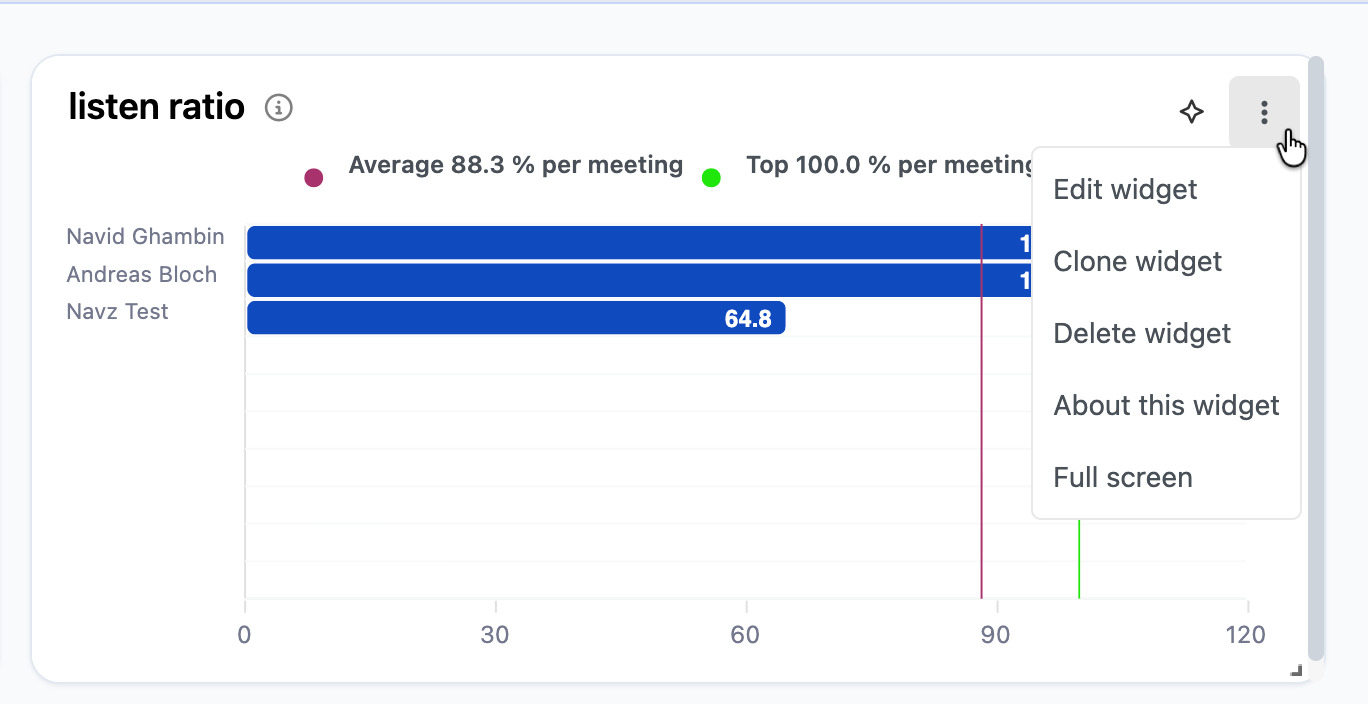
4 - When widgets or AI Agents have been added, customise the dashboard by moving, resizing, cloning, editing, or deleting the widet. Click Full screen to temporarily expand the widget for easier viewing
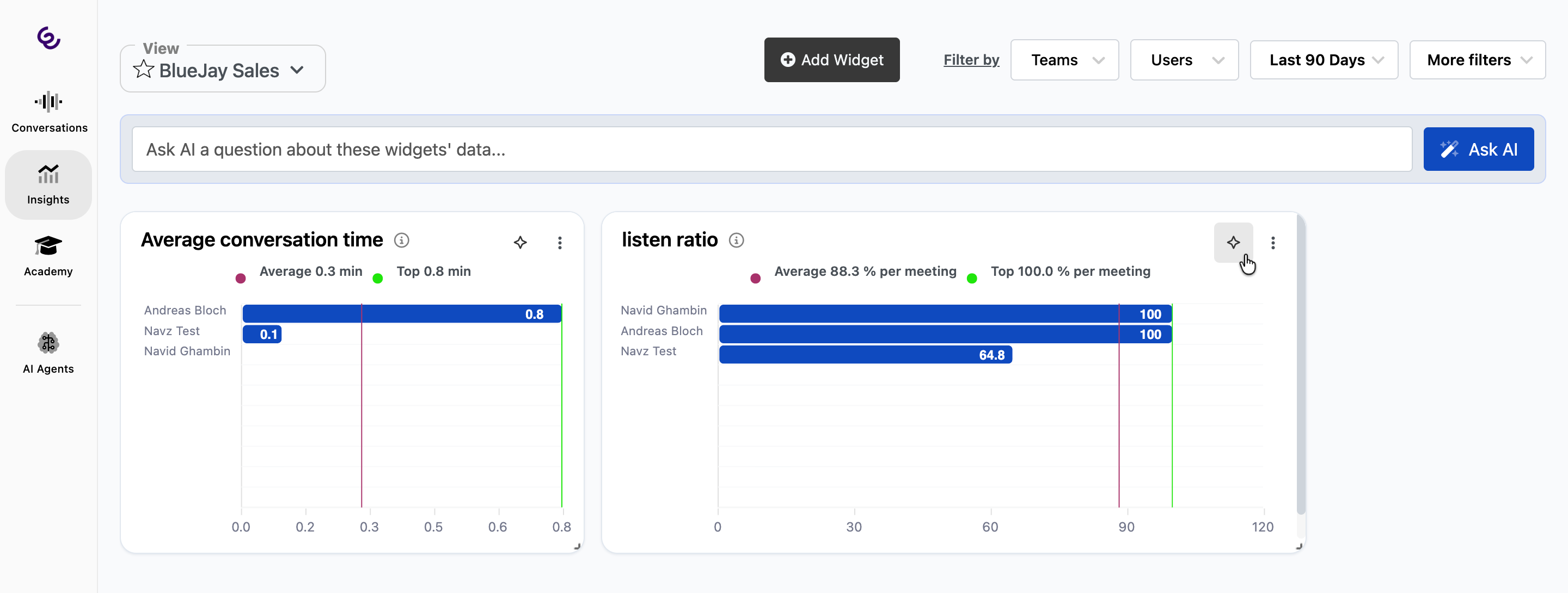
5 - Use the Ask AI feature if you want to know more about your conversations. Click the icon in an individual widget for specific answers about that widget, or in the top bar to ask a more general question
6 - Drill down into the data by adding filters to the dashboard. Filters will apply to all widgets
Changes to the dashboard will be made as you go, so you don't need to click save.
Sharing dashboards
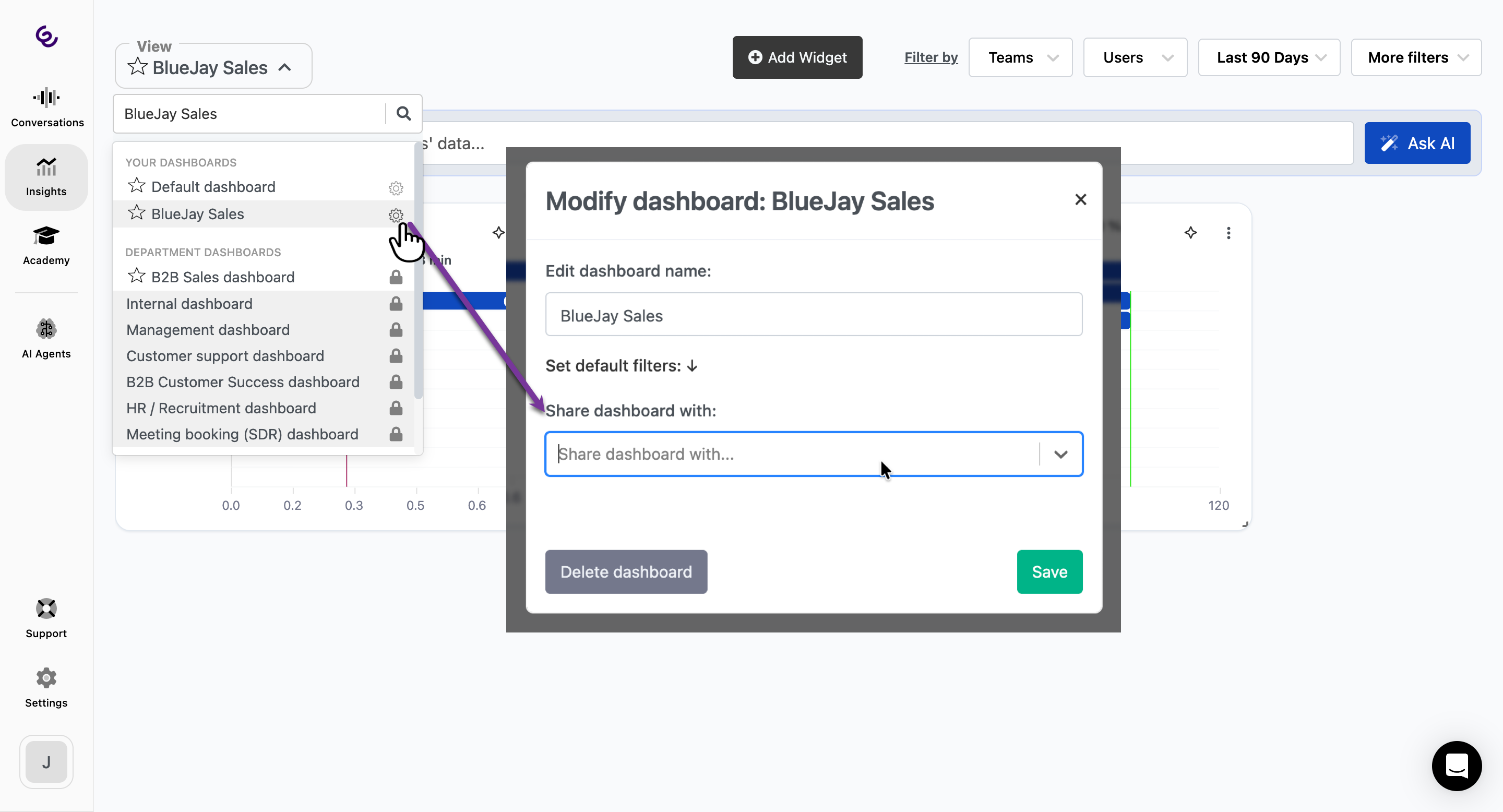
You can share dashboards with teams or users to easily share insights from your conversations.
- Locate the dashboard in the View menu, and click the edit cog
- In the pop-up, expand the Share dashboard with drop-down menu and select the team or user to share with
- Click Save
- The dashboard will then be available to view under Insights.
A few things to consider
Q: Are dashboards updated in real-time?
A: Almost - dashboards will update as new meeting data becomes available. First, Smart Talk AI will generate the meeting summary, which can take a few minutes after the meeting has ended, then the conversation data is immediately synced with the dashboard.
Q: Why don't I see my conversation in the dashboard?
A: If a meeting has no summary, for example the duration was too short, then it will not be synced with the dashboard.