Campaigns: HTTP Builder
The HTTP Request builder allows you to configure and test your own requests from inside Outbound.
Send call results or lead updates back your or your customer's CRM or any other external APIs.
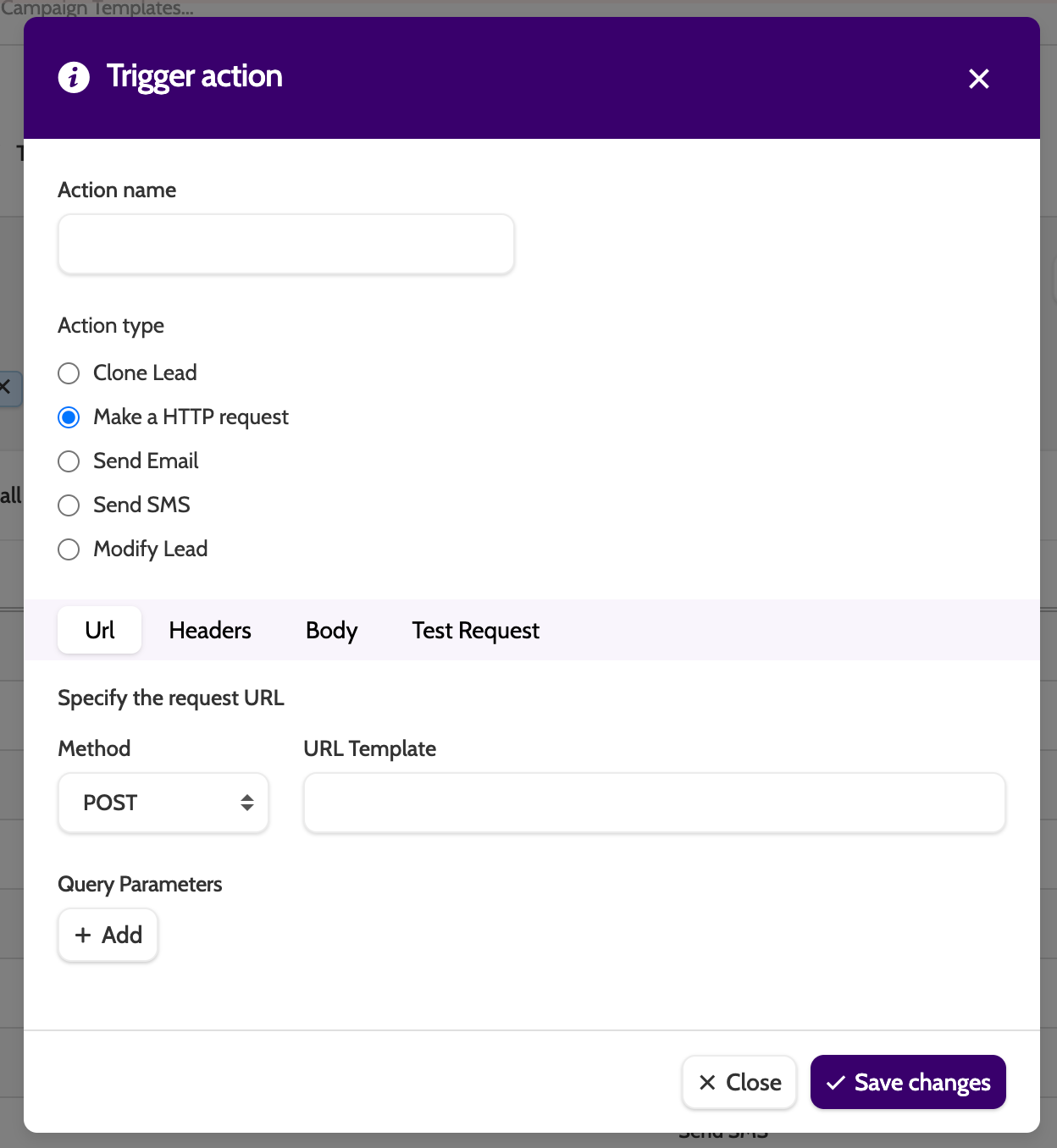
To begin, click New on the Trigger Actions overview, and select Make a HTTP request.
URL
Begin building the request.
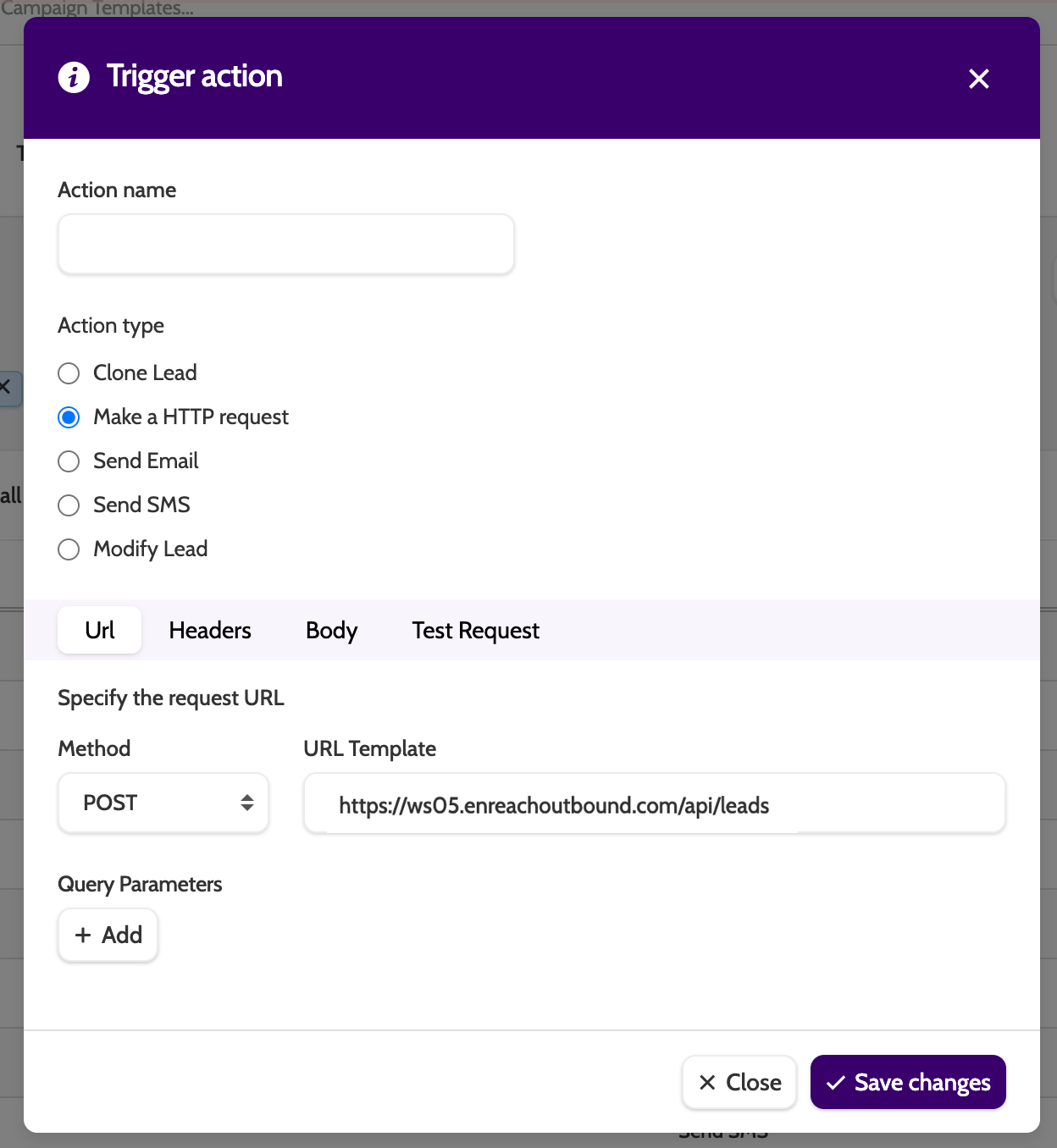
- Method: select POST or GET
- URL Template: enter the request URL or API endpoint, for example your CRM URL
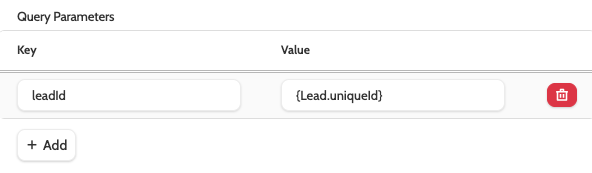
- Query Parameters: add parameters directly into the URL using query parameters. Click + Add to start.
Query Parameters
Commonly used for GET requests, query parameters are sent to endpoints where the information is transferred via the URL itself.
- Key: the name of the parameter. For example, leadId in your CRM
- Value: the value of the parameter. For example the merge field {Lead.uniqueId} from Outbound.
Headers
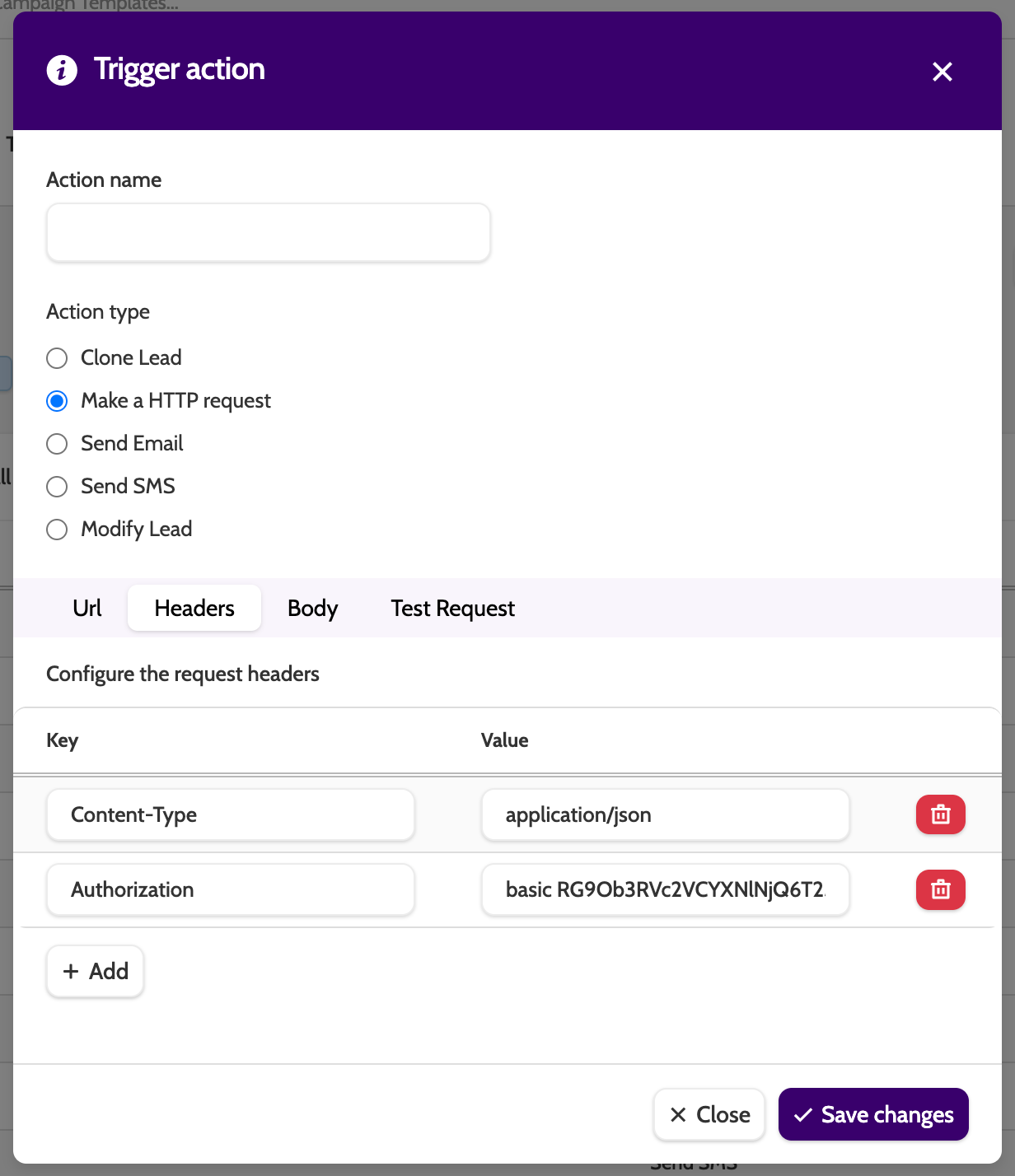
Under Headers, define the type of request.
- Key: select the Header type from the list
- Value: enter the key's value.
In the image below, the Key Content-Type says that the body of the request is JSON, and the Key Authorization defines the type of authorisation the endpoint requires, i.e., Basic, Bearer, or ApiKey.
We have auto suggestion for many other standard Header keys.
Body
Under Body, enter the data payload of the request.
Simple
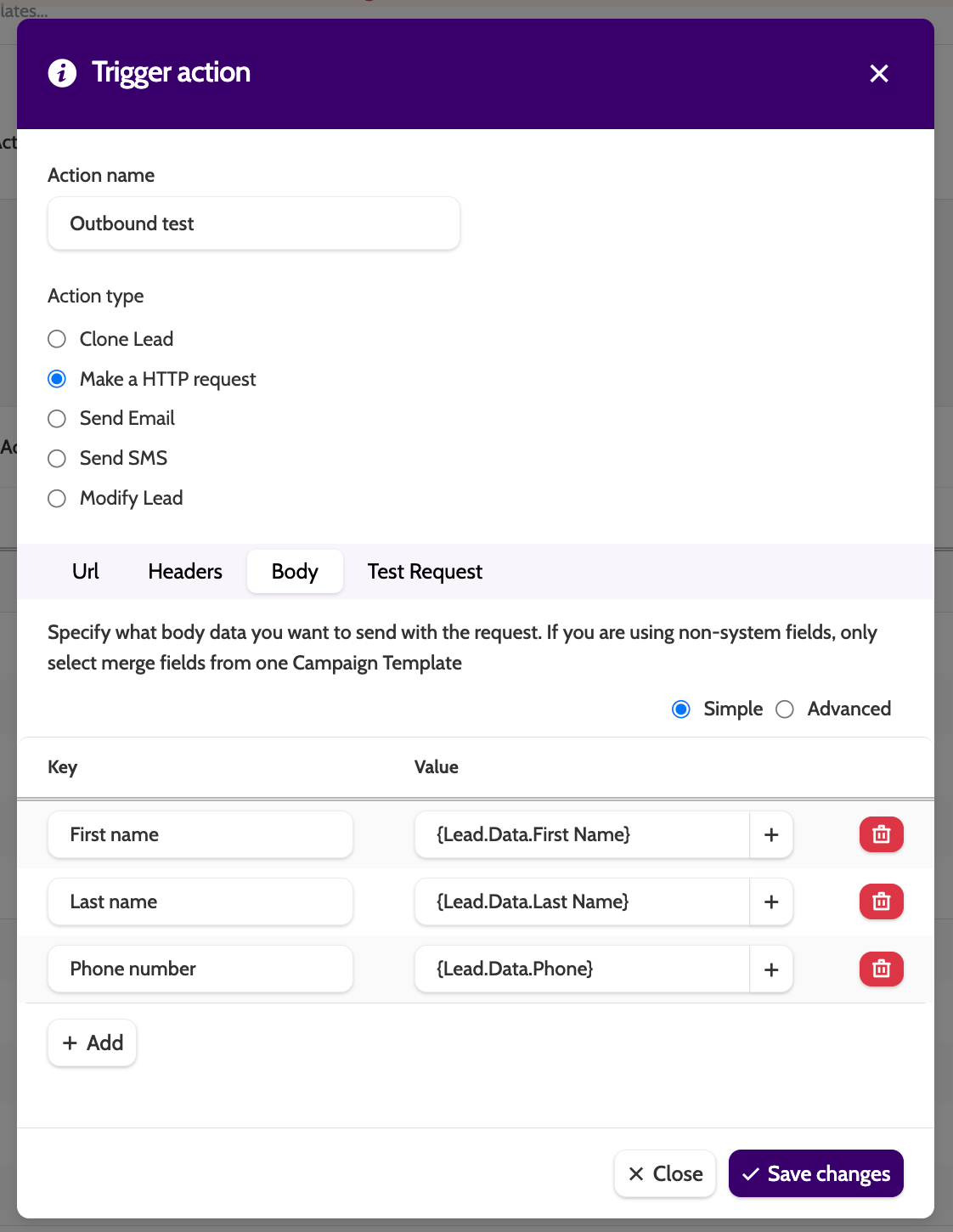
Simple allows you to build the body of the request by entering a Key from your destination endpoint and a Value from Outbound.
You can also add hardcoded values instead of lead data.
Click + Add to start.
- Key: the foreign key
- Value: the matching value from Outbound.
Value
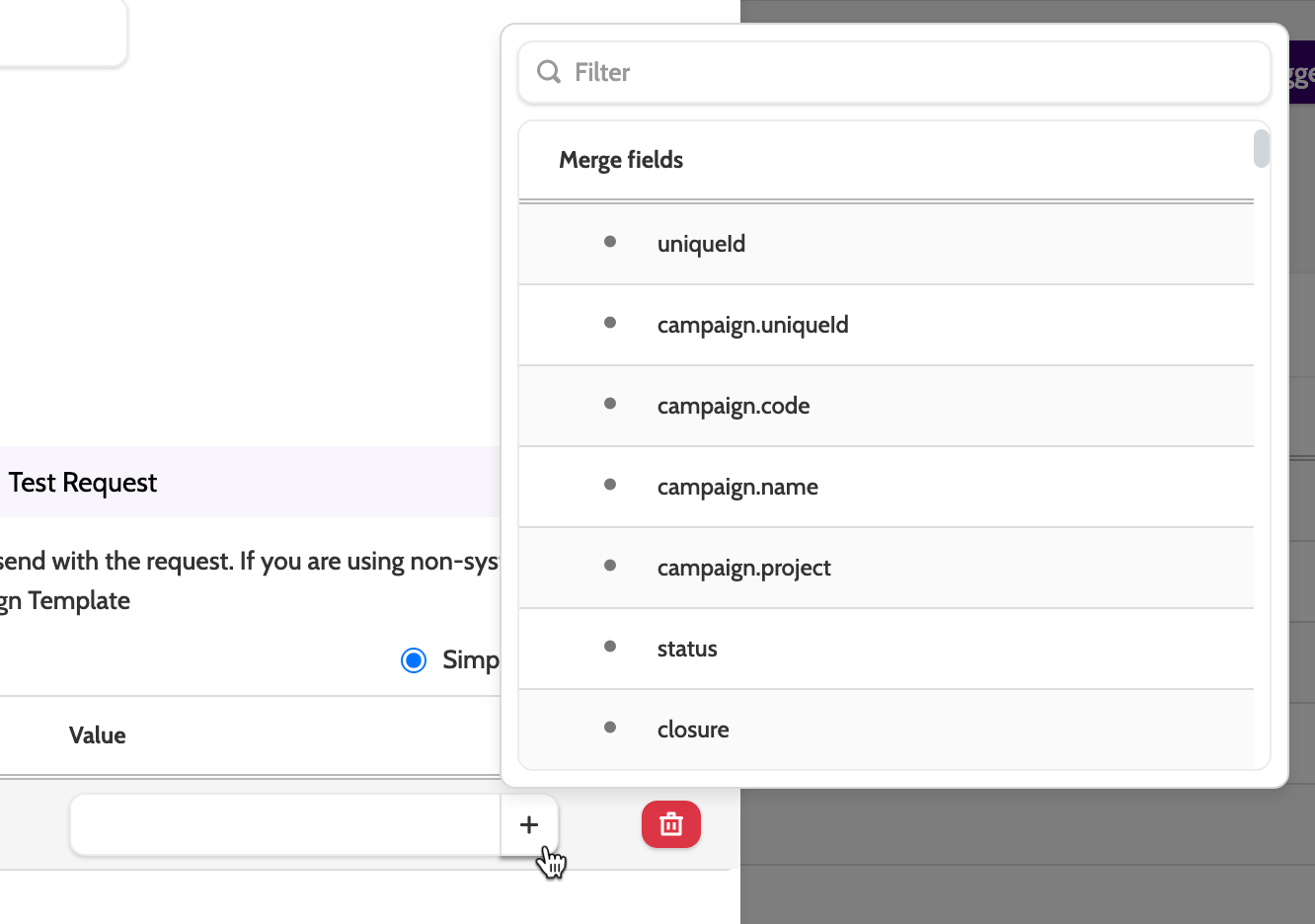
Click the Plus + icon to select a value from the menu.
The first merge fields are system fields. Scroll down to select a custom field from one of your Campaign Templates.
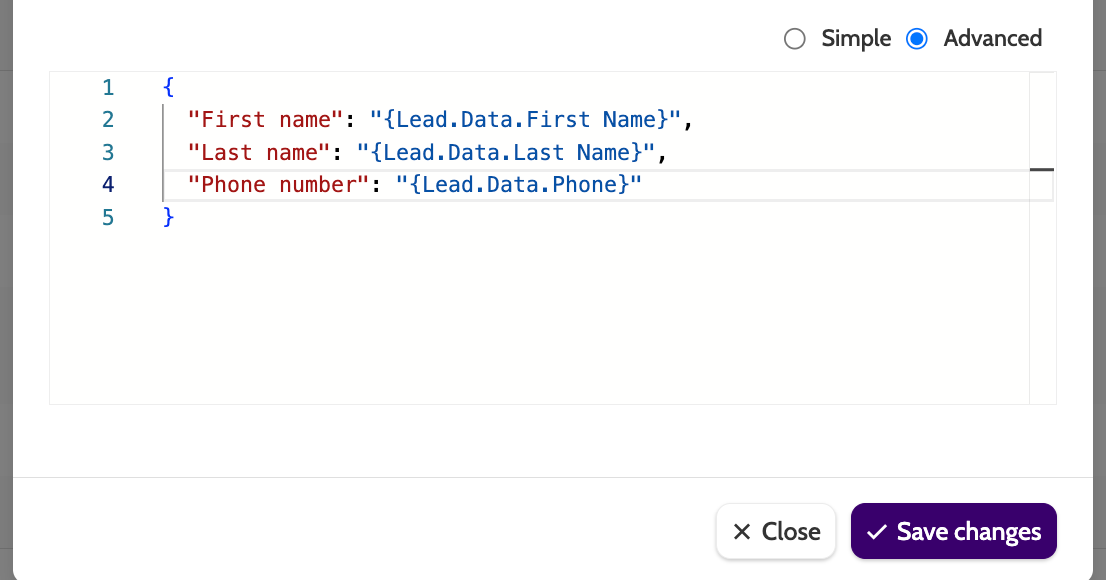
Advanced
Use the Advanced builder to create the body in JSON.
Test Request
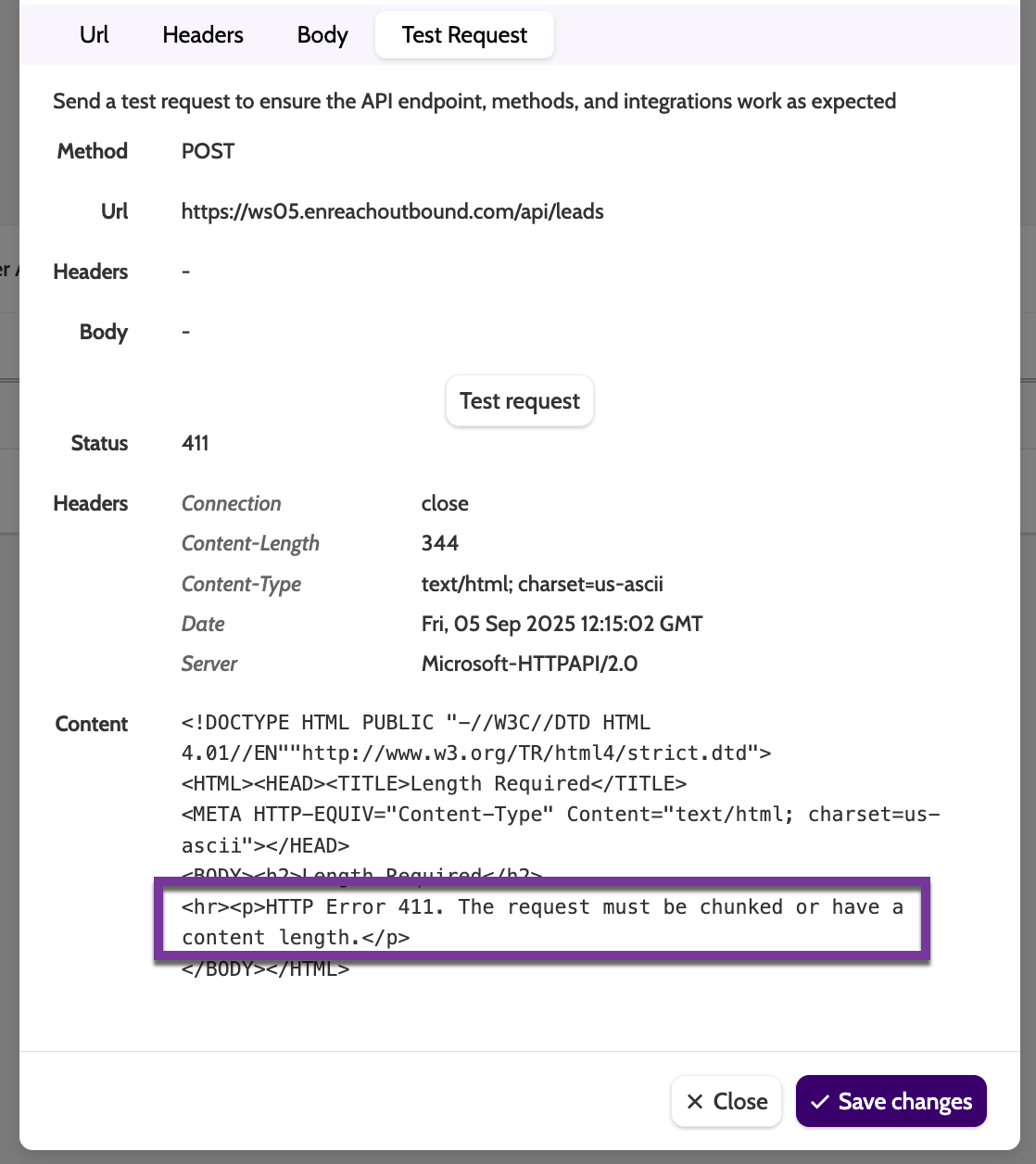
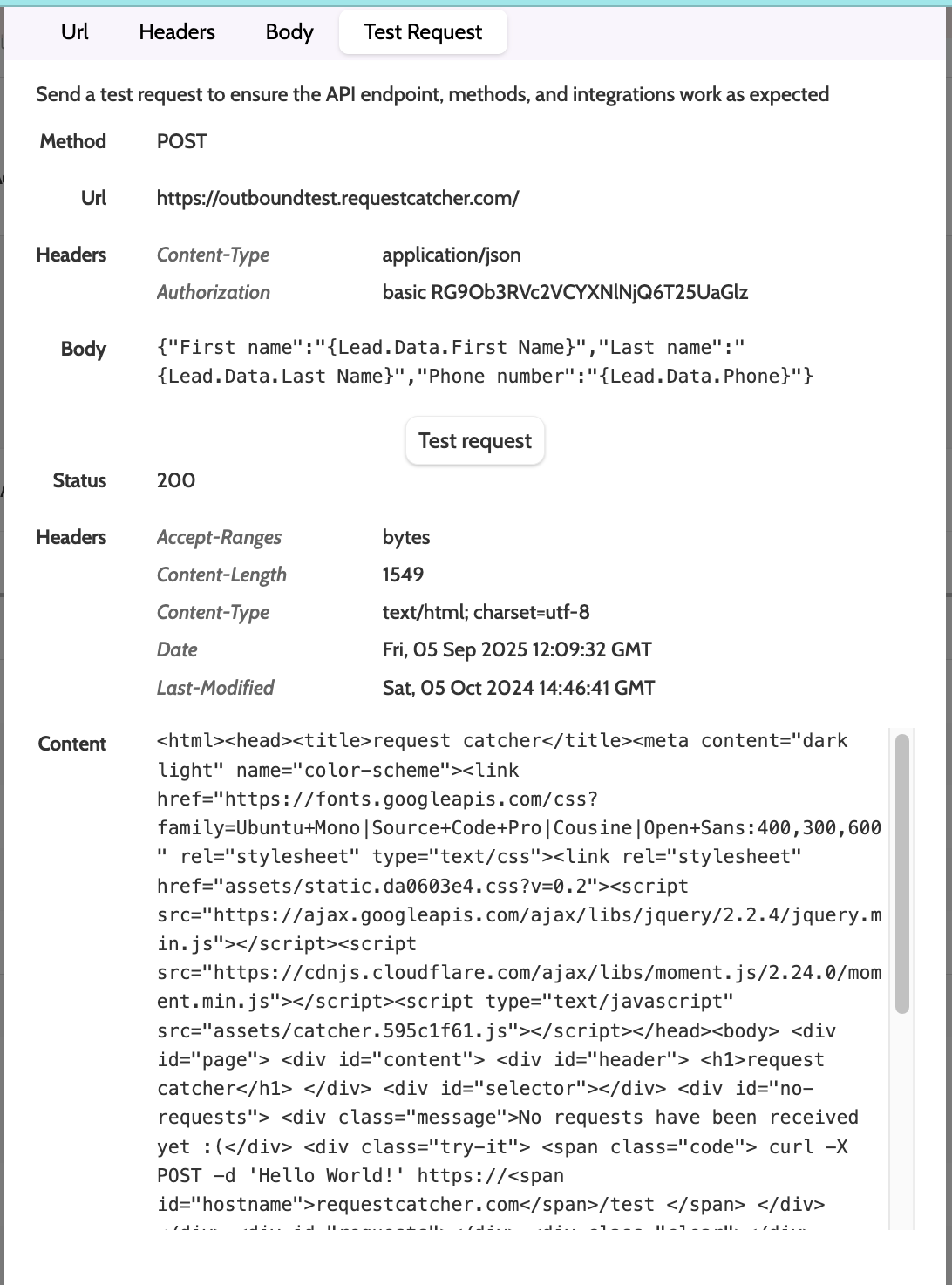
Click Test request to test it in real time, allowing you to catch any errors and debug the request.
Errors
Errors in the request will be documented in Status and the Content.