Creating NPS surveys
With our nps.today partnership, you can measure, understand, and act on feedback directly from your customers.
There are three different ways to configure an automatic survey to be sent out via nps.today in Outbound:
- Via trigger system (created specifically on each campaign)
- Via hooks in API (created specifically on each campaign, but hidden in UI)
- Via SmartHub (created in a script, that can run on all/one/or multiple campaigns)
Prerequisites
- An nps.today subscription
- An API key in your Outbound account
- An active Outbound account
Setting up via triggers
With triggers you can send data directly to nps.today, in order to send out the specific survey that you want.
Creating a trigger
Go to Campaign overview, select your campaign, and click edit.
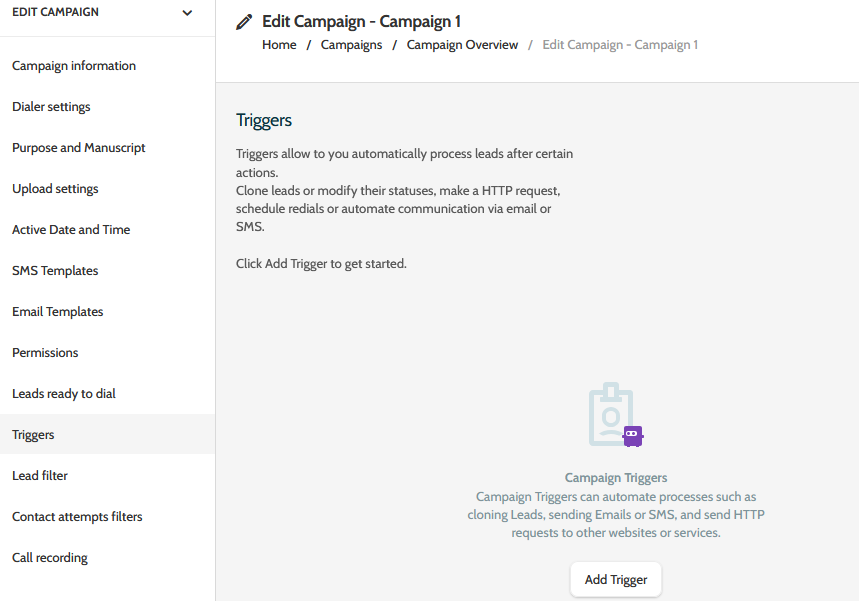
Select Triggers and click Add Trigger.
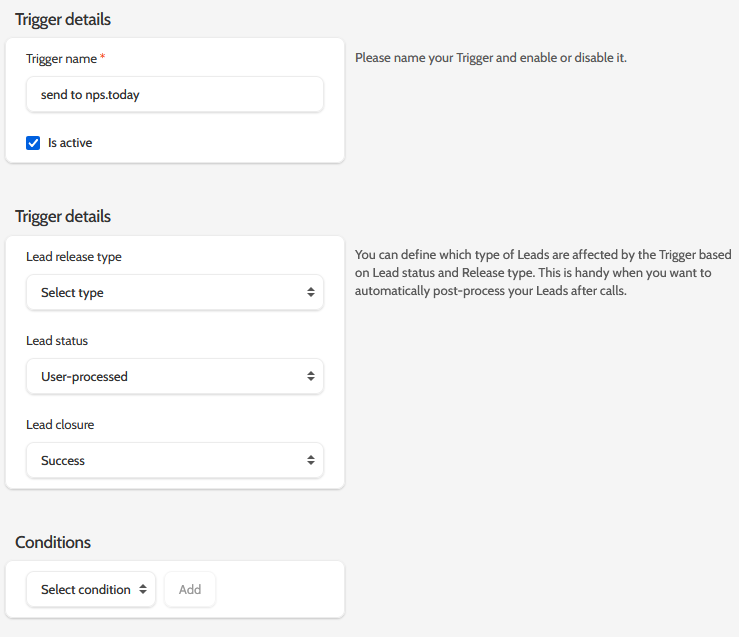
Enter a name for your trigger, enter the details, and add a conditional field if needed:
Creating a HTTP request action
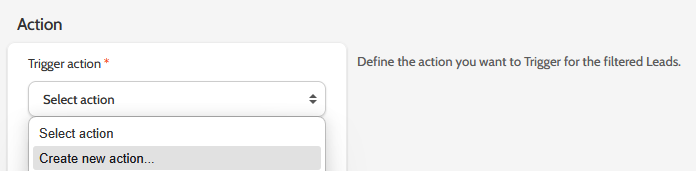
Under Action, select Create new action:
In the pop-up, enter the following information:
Action type: Make a HTTP request
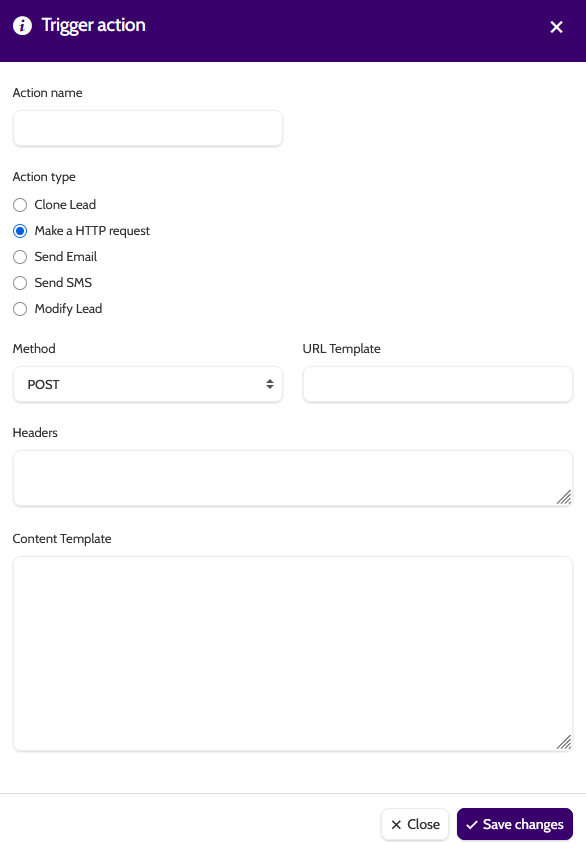
Method: Select POST
URL Template: Add the URL which includes the campaignId in nps.today to which you want to send the data - the campaignId is added in the middle of the URL, before respondents: https://api.nps.today/campaigns/{campaignId}/respondents
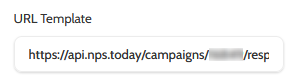
If you don’t know your campaignId, read this guide:
Headers: add your API key. For example:
Content-Type: application/json
Authorization: apikey {insert your api key here}

If you don’t have an API key or know where to find it, read this guide:
Content Template: add the data you want to send to nps.today.
You can send as many fields from Outbound as you want to, however nps.today requires either a phone number (for SMS survey) or email address (for Email survey). If you want to have data returned to the lead in Outbound from nps.today ,the unique Id of the Outbound lead is required.
Example:
[
    \{
        "respondent": \{
            "emailAddress": "{lead.data.import name of email field}",
            "phoneNumber": "{lead.data.import name of telephone field}",
            "externalId": "{lead.uniqueid}"
        \}
    \}
]
For the email and/or phone number, copy the import name from your campaign template of the field you want to send the nps.today survey to, and insert where it says “import name of xxxxxx”.
You can also add additional fields such as employee information. Please reach out to our support team if you have any questions regarding this.
Once you are done, save your trigger action and trigger, and you are good to go.
Setting up via hooks
If you want to create your own integration between Outbound and nps.today, this can be done via our webservice API using hooks.
To do this, you need an API user with the correct access.
Read more about creating a hook here.
Body used to create a hooks:
{
"name": "string",
  "isActive": "boolean",
  "campaignCode": "string",
  "leadReleaseType": "string",
  "leadStatus": "string",
  "leadClosure": "string",
  "method": "string",*
  "headers": "string",
  "urlTemplate": "string",
  "contentTemplate": "string",
}
Name: the name of the hook, that you provide
isActive: defines whether the hook is active
CampaignCode: found via:
https://ws01.enreachoutbound.com/api-docs/#!/campaigns/getcampaigns_get_0 Either the campaign uniqueId and the code can be used
LeadReleaseType: optional. You can GET the supported types via: https://ws01.enreachoutbound.com/api-docs/#!/hooks/gethooksmeta_get_5
leadStatus: required. You can GET the supported types via: https://ws01.enreachoutbound.com/api-docs/#!/hooks/gethooksmeta_get_5
leadClosure: optional ('NotSet' or 'Success' or 'NotInterested' or 'InvalidLead' or 'Unqualified')
Method: POST
Headers: see headers description above
UrlTemplate: see headers description above
ContentTemplate: see headers description above.
If you have any questions, please reach out to our support team.
Setting up via SmartHub
This is only possible if you have the SmartHub add-on module.
SmartHub is our built-in scripting tool, which provides more custom and flexible ways of handling leads.
With this you can make the nps.today survey trigger only when very specific conditions are meet, i.e.:
- Only if certain amount of conversation time has been conducted
- Only if specific lead field combinations are met
- Only for specific campaigns
- For all campaigns, thereby centralising the control
We offer custom development of these scripts, so reach out to your customer success manager or our support team for any questions.
Getting data back to Outbound
It is possible to send any data that is returned from nps.today to any lead field in Outbound.
Currently this requires custom setup by our development team, so reach out to your customer success manager to discuss your needs.